~/onflow.studio/email-flow
email-flow
Mail for exactly one person.
Multiple Gmail inboxes, one keyboard, and an AI that learns how you sort. Dark, monospace, and fast enough that the Gmail tabs stay closed.
# five buckets
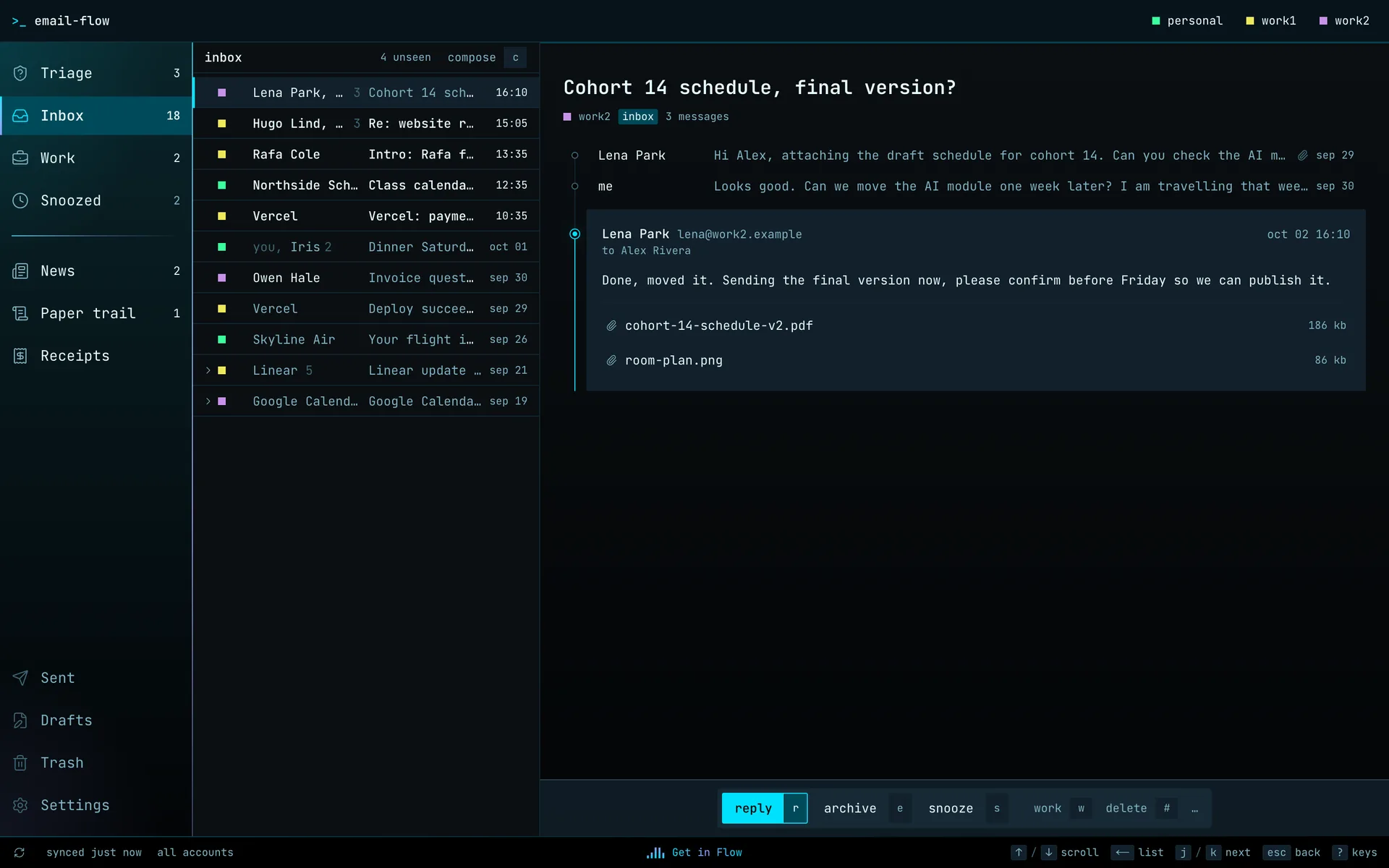
AI sorts, you correct.
Every new thread lands in one of five buckets. The AI suggests, and every correction becomes an example it learns from. Nothing is hidden: every thread shows its bucket, and moving it is one key.
- 01
Inbox
Threads from people and services that matter. Some transactional mail earns a place here too, like a failed payment or a security alert.
- 02
News
Newsletters and things to read, kept apart from the mail that needs you.
- 03
Paper Trail
Order and shipping updates, transactional and account notifications.
- 04
Receipts
Money that moved: receipts, invoices, payment confirmations, refunds, subscription charges.
- 05
Triage
New senders waiting for a decision. They don't reach the Inbox until you say so.
# triage
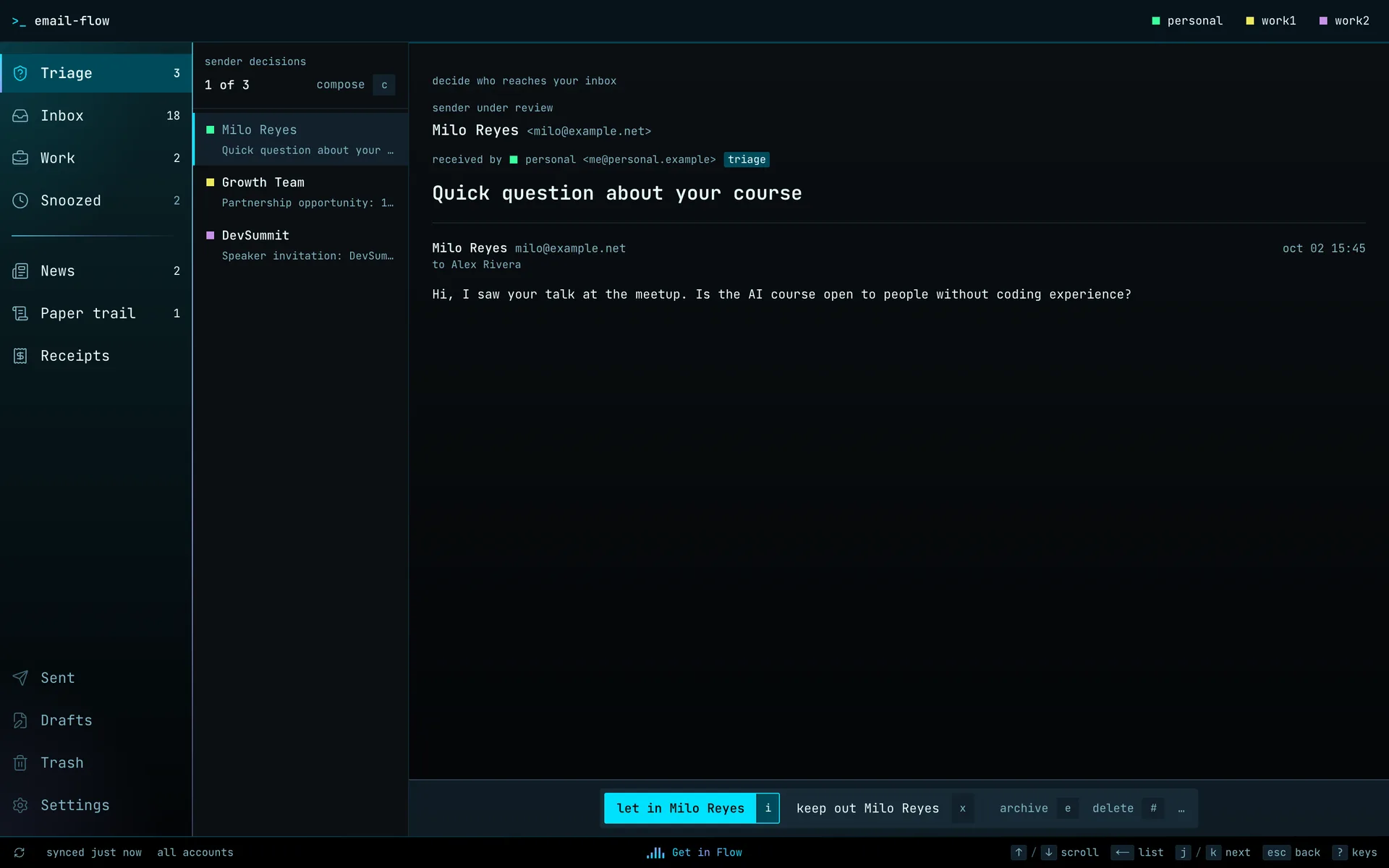
Strangers wait at the door.
New senders don't reach your Inbox until you say so. The AI lets in the obvious ones, like someone replying to a thread you started, and holds everyone else in Triage.
Let in or keep out is one key, and it decides for every new sender in the thread at once.
# command palette
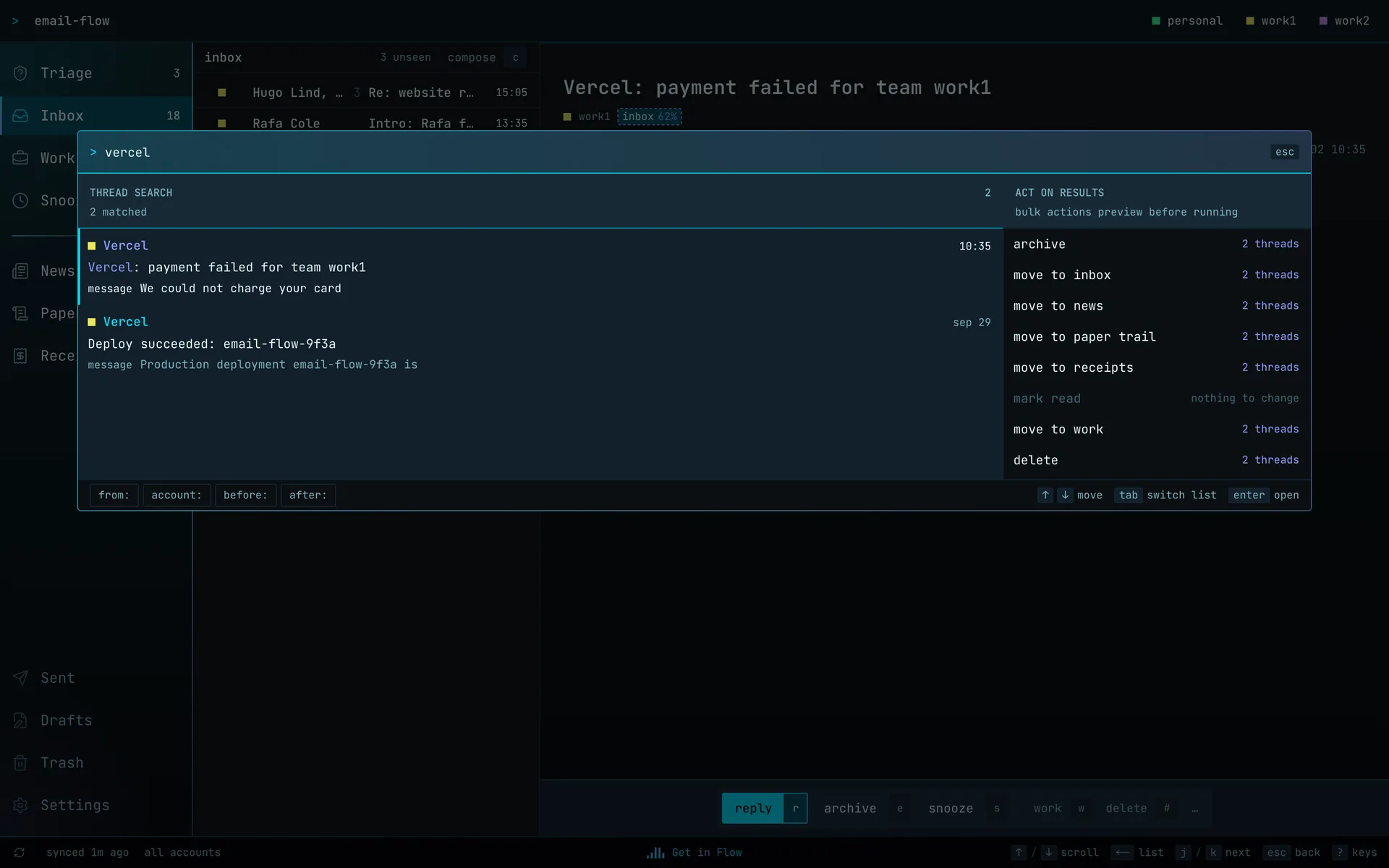
One palette for everything.
⌘ K searches every thread and lists the actions that apply to the results.
Bulk actions show exactly which threads they'll touch before anything runs. Single-thread actions run at once and can be undone.
# rules
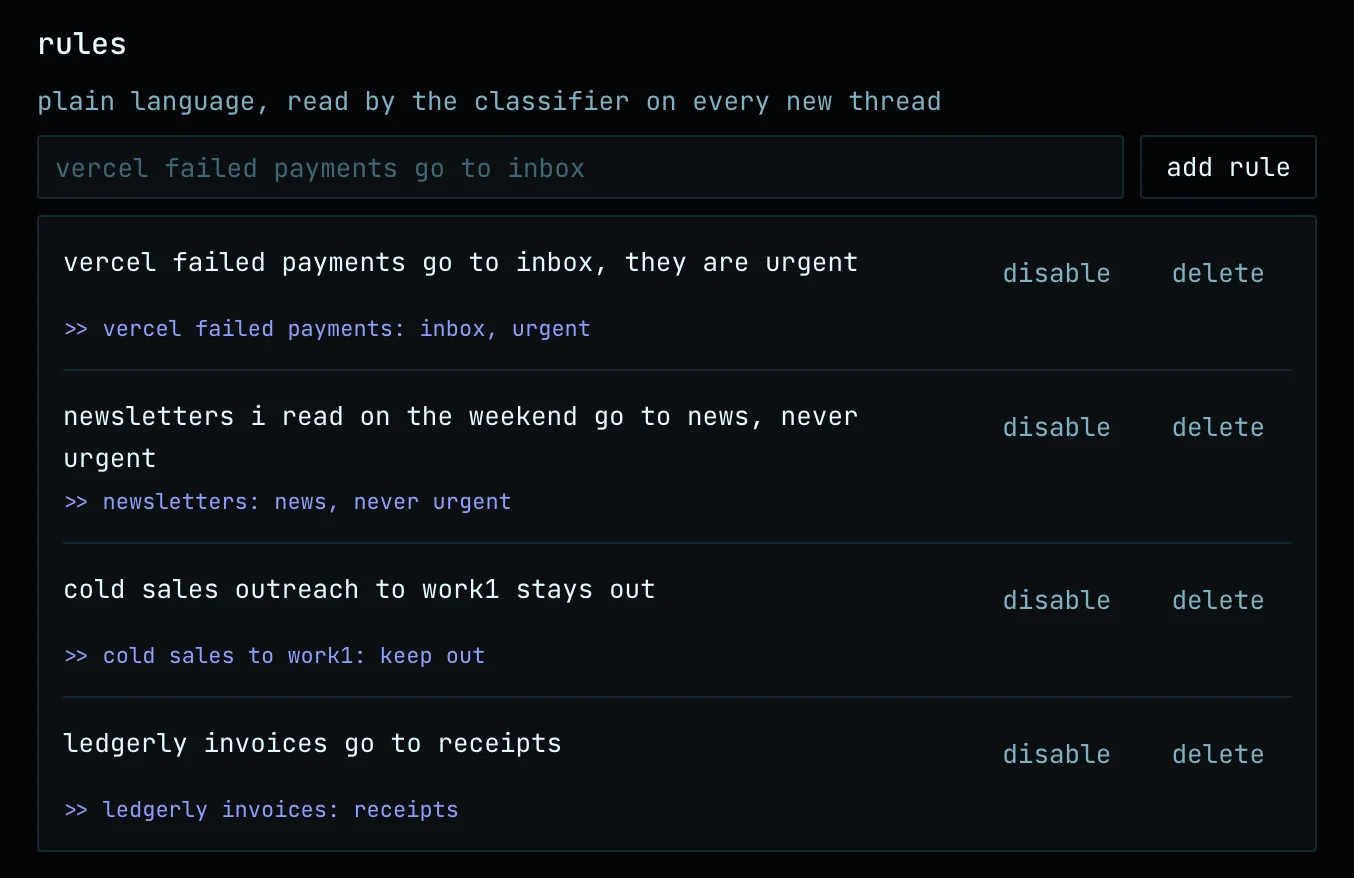
Rules in plain language.
Write a rule the way you'd say it, in English or Spanish. The AI parses it into literal conditions (sender, domain, account) and judgment calls (“failed payments”), and shows you what it understood.
# compose
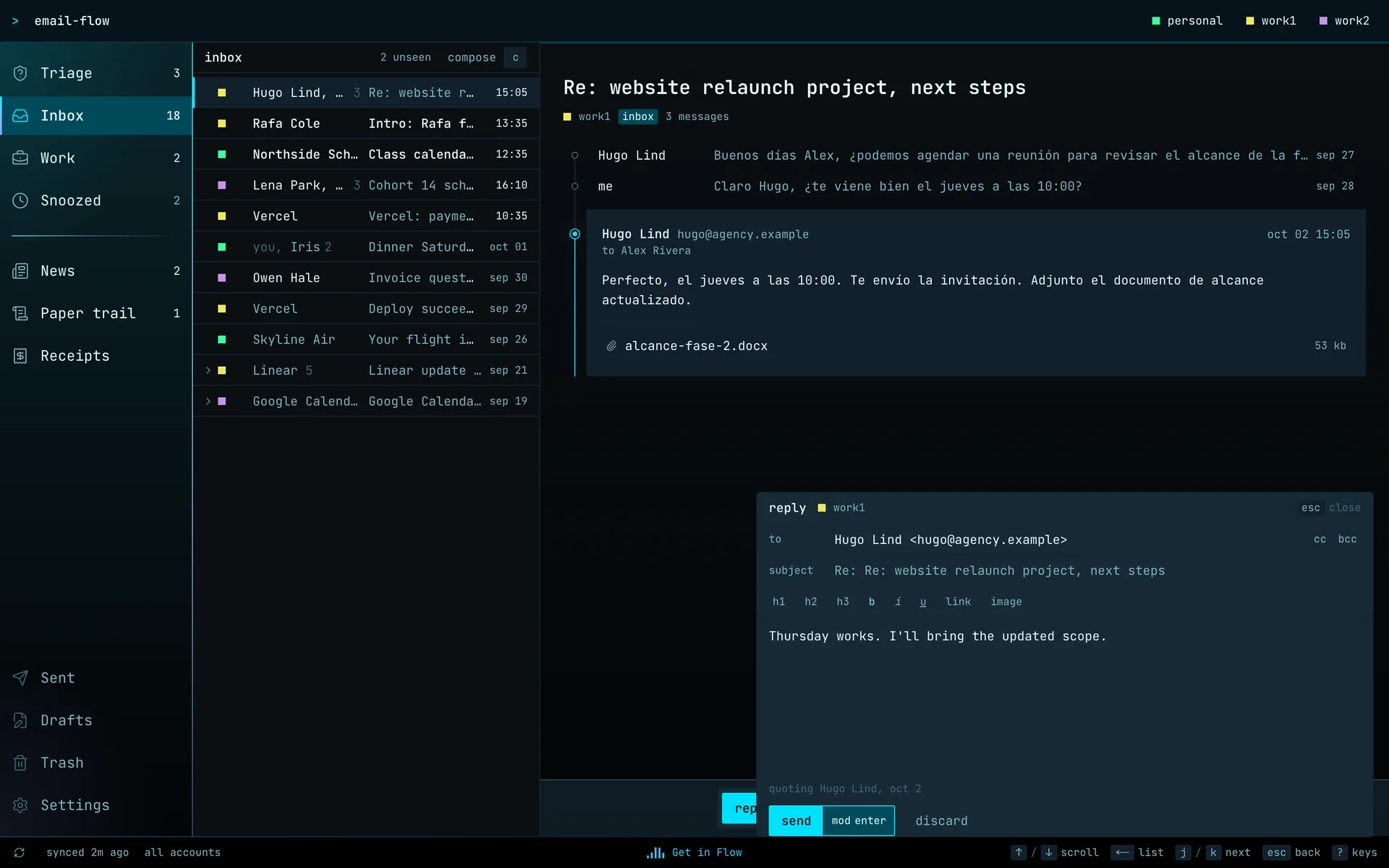
Write without leaving the thread.
Replies dock over the reading pane, so the thread stays readable while you write. Rich text, per-account signatures, and replies always leave from the account that received the mail.
# in your pocket
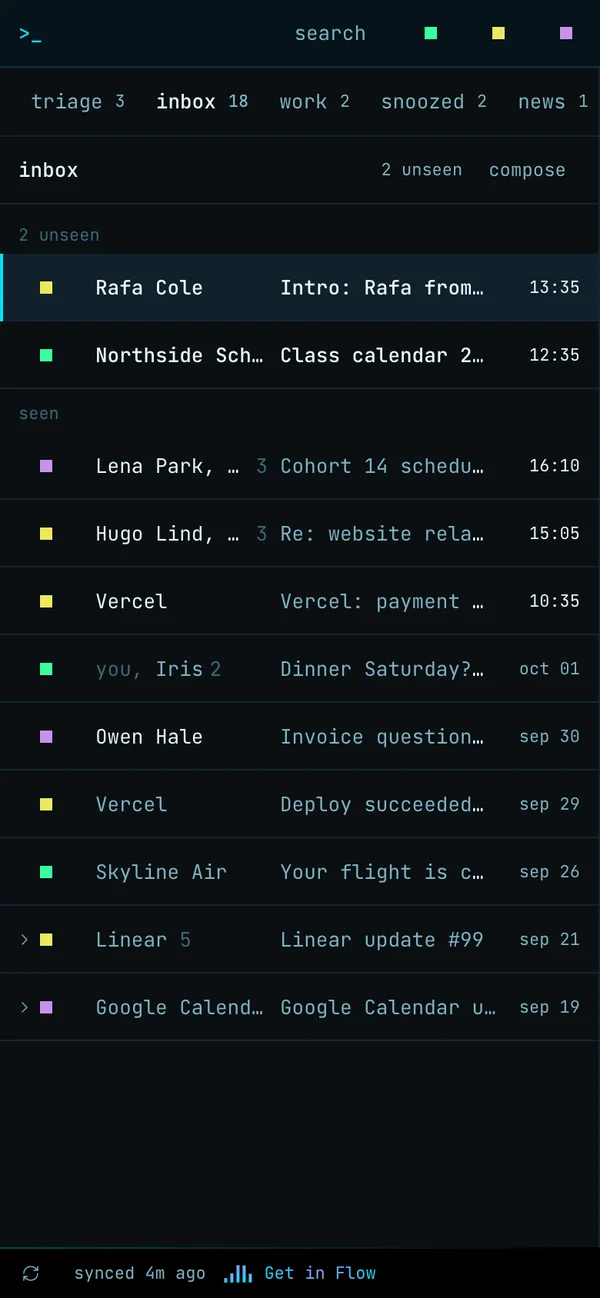
Read on the phone, triage at the desk.
On the phone it's a home-screen web app for reading and quick replies. Bucket tabs across the top, one line per thread. Heavy triage stays on the desktop.
# keyboard
The keyboard is the interface.
Every action has a key, every key can be rebound, and triage never needs the mouse. A terminal that grew up.
- jkNext and previous thread
- eArchive
- sSnooze
- rReply
- ⌘KSearch and run anything
- ?Every key, on one screen
# own the truth
Your database is the source of truth. Gmail is the transport.
Triage state, snoozes, decisions and rules live in your own Postgres. Read, archive and spam sync back to Gmail, so the Gmail app on your phone still works as a fallback.
# every five minutes
gmail  ──sync──▶  postgres
         ◀── read · archive · spam

postgres  holds
  ├─ buckets and triage decisions
  ├─ snoozes and deadlines
  ├─ plain-language rules
  └─ every correction, as an example
# source
Source coming soon.
email-flow is built around one person's accounts and habits, and that's the point. When the source is out, don't use it as is: fork it and have your AI make it yours. Change the buckets, the keys, the colours, the rules. It's the same conversation that built it.